Did you know that you can extract perfect depth maps from any pretrained 3D Gaussian Splatting without retraining, depth loss, or special regularizers?
This works because a 3DGS renderer doesn't have to splat colors—it can splat anything. Colors are just one example. If you instead splat the z-value of each Gaussian in camera coordinates, the renderer naturally produces a dense depth map.
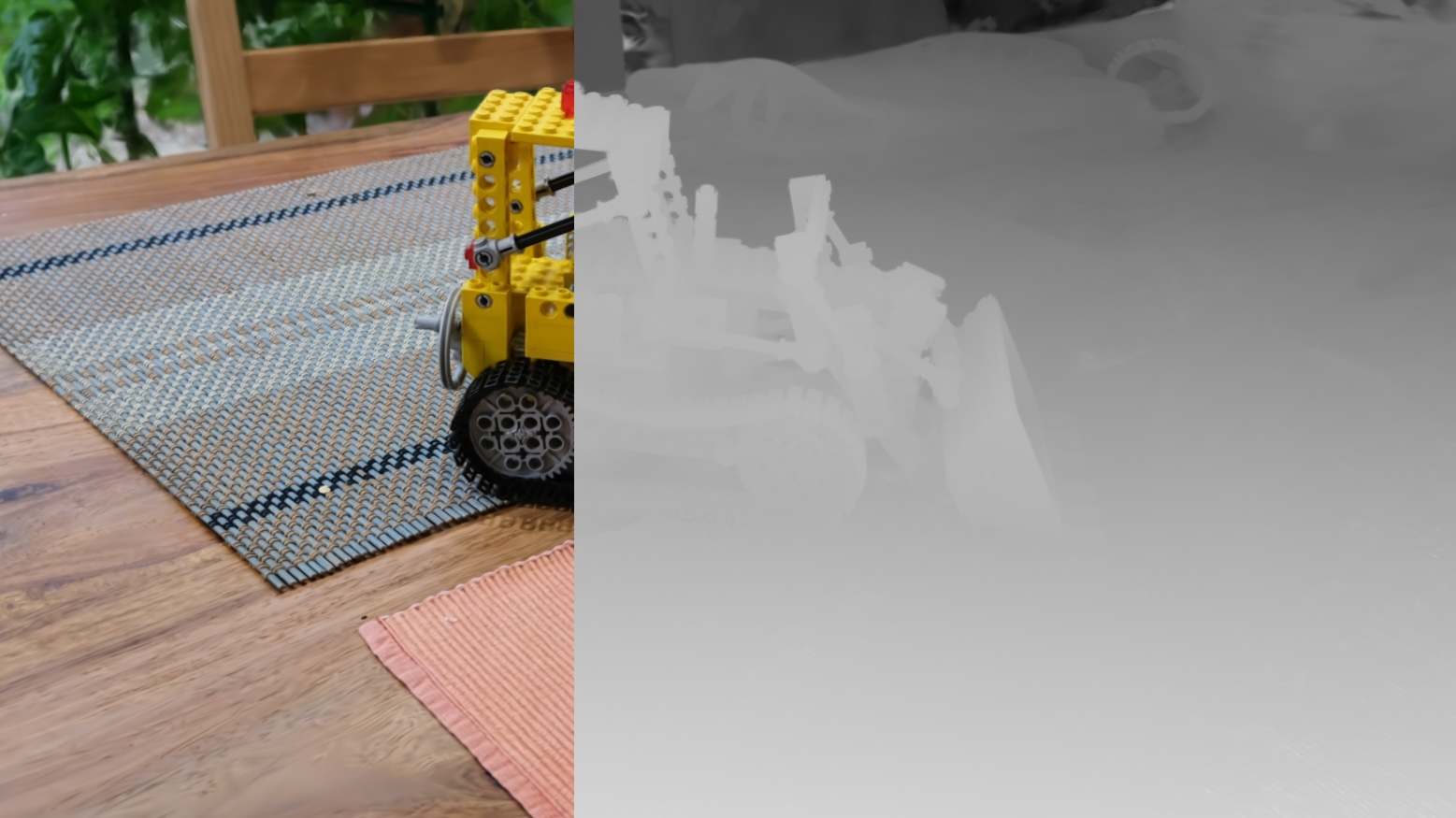
3D Gaussian Splatting Pioneer: Pulsar
The Pulsar paper (Lassner et al., 2020) —the method that inspired the tile-based apporach in 3DGS— used exactly this idea: instead of splatting RGB, they splatted feature vectors. Afterwards, a CNN decoded the feature map into a final color image.
3DGS uses the same principle. A Gaussian splat is just a weighted blend of attributes:
# A Gaussian contributes:
weight * attribute
If the attribute is RGB → you get an RGB image. If the attribute is depth → you get a depth image. If the attribute is normals, albedo, semantics, features → those work too.
How to Extract Depth in PyTorch (5 Lines)
Once you have the per-Gaussian center in camera coordinates pc, just splat pc[:, 2].
# pc: [N, 3] Gaussian centers in camera space
z_depth = pc[:, 2]  # positive forward

# Instead of color = gaussian_color, we replace it with:
attribute = z_depth

# Then call your existing tiling + splatting code:
rendered_depth = splat(attribute, weights, tiles)
Because 3DGS uses the exact same weights regardless of attribute type, depth is rendered with the same quality and density as color.
Advantages of This Method
- No retraining—works on any pretrained 3DGS.
- Perfect consistency & no regularizers—depth comes directly from learned geometry.
- Fast—splatting depth costs the same as splatting color.
What Else Can We Splat?
Anything.
- Normals
- Semantic labels
- View-dependent features
- MLP embeddings
- Appearance codes
- Albedo
Remember: 3DGS is just a differentiable splat pipeline. The attributes are completely user-defined.
Learn 3DGS Step-by-Step
📘 Master 3D Gaussian Splatting
Want to go deeper and fully understand how splatting works? My 3D Gaussian Splatting Course explains the entire pipeline from scratch, using PyTorch only, no C++ or CUDA!
Explore the Course →Consulting
💼 Research & Engineering Consulting
We help teams integrate 3D Gaussian Splatting techniques, build custom pipelines, and prototype new splatting research. If you need expertise, we can help.
Contact:
contact@qubitanalytics.be